> For the complete documentation index, see [llms.txt](https://docs.dackieswap.xyz/llms.txt). Markdown versions of documentation pages are available by appending `.md` to page URLs; this page is available as [Markdown](https://docs.dackieswap.xyz/archived/achieved-pages/connect-metamask-to-base-chain.md).
# Connect Metamask to Base Chain
Connecting Metamask to Base Chain: The Step-by-Step Guide
Ready to dive into the world of Base Chain? We've got your back with this simple guide on how to connect [Metamask](https://metamask.io/) to the Base Chain. Buckle up, it's gonna be a smooth ride! 🚀
{% tabs %}
{% tab title="Automation" %}
1. Go to
2. Connect your wallet
3. DackieSwap will ask you to Switch your Network to Base chain, **Accept** it
Switch Network
4. Quackdone
{% endtab %}
{% tab title="Manual" %}
### Step 1:
Launch your Metamask wallet and log in to your account.
### Step 2:
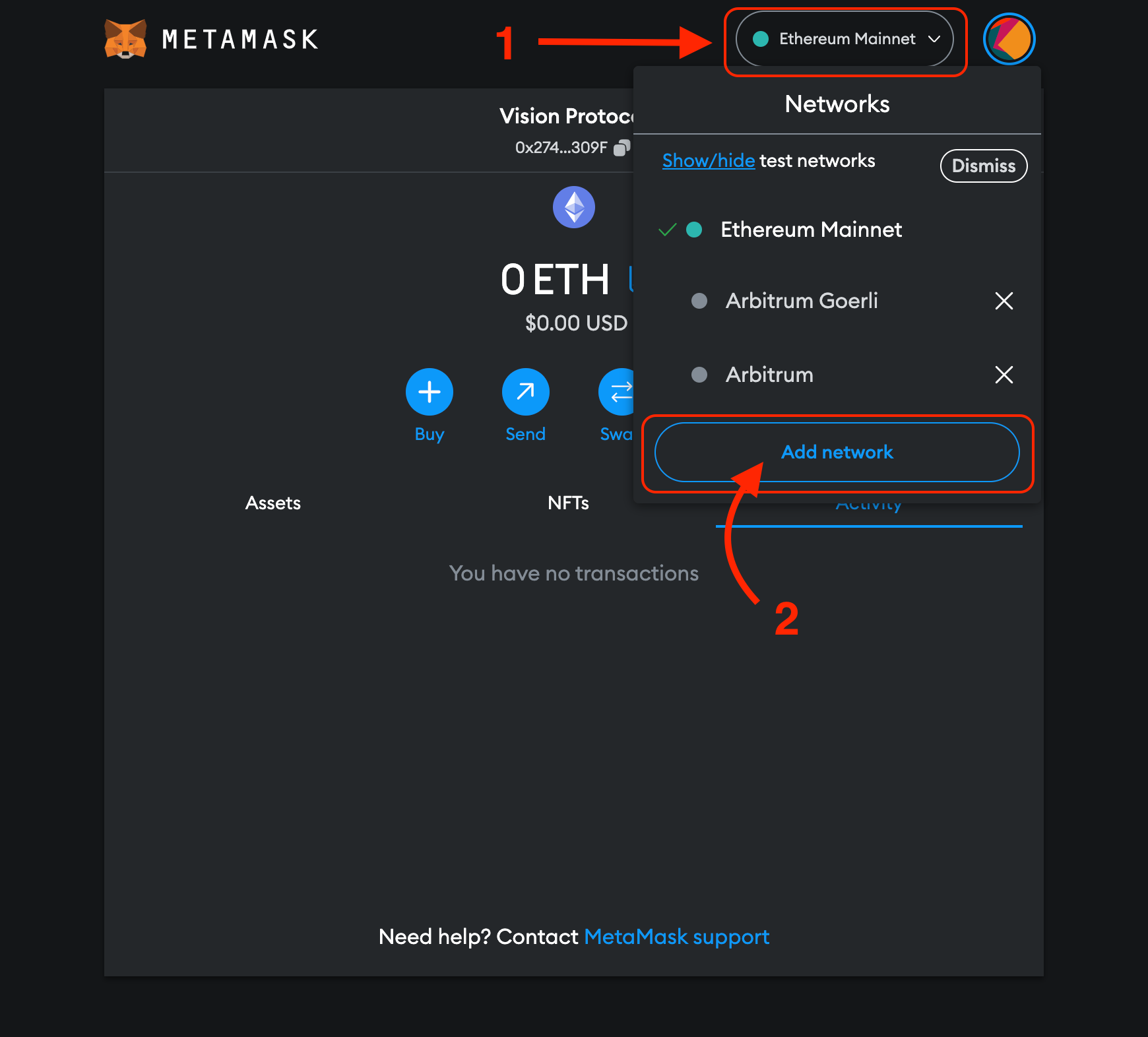
Click the dropdown button at the top of the extension. Then, click the "Add network" button and get ready for the magic to happen.
### Step 3:
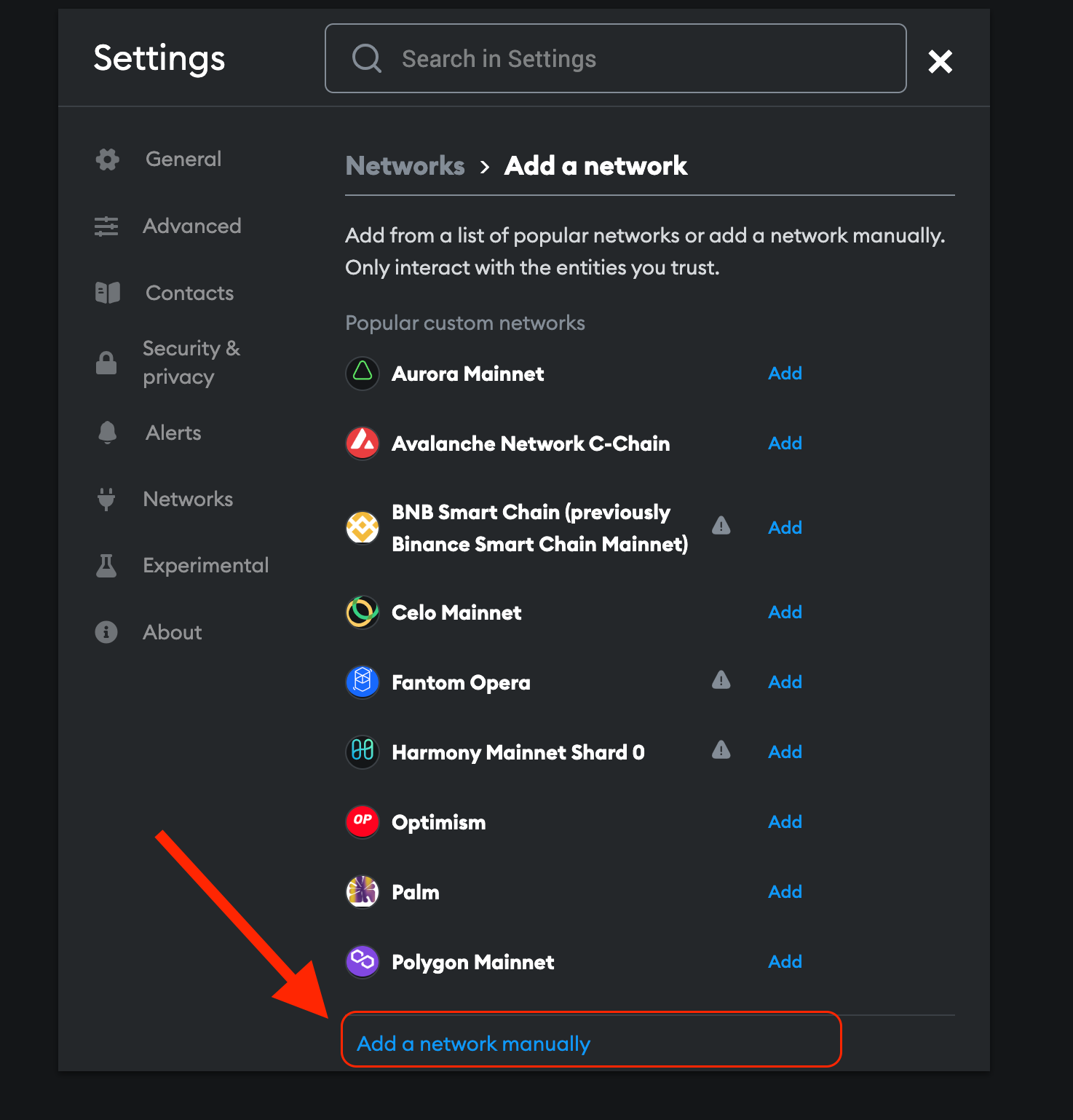
Choose the option to "Add a network manually." It's like giving MetaMask a secret handshake!
### Step 4:
Enter the following information for the Base Mainnet in the "Add a network manually" dialog box. Fill in the gaps and watch the puzzle come together.
### Step 5:
Take a moment to appreciate the progress you've made, and hit that glorious "Save" button.
Boom! You've successfully saved Base Mainnet as a network. Give yourself a pat on the back!
{% endtab %}
{% endtabs %}
\\
.png?alt=media)