> For the complete documentation index, see [llms.txt](https://docs.dackieswap.xyz/llms.txt). Markdown versions of documentation pages are available by appending `.md` to page URLs; this page is available as [Markdown](https://docs.dackieswap.xyz/dackieswap/product-features/earn/dackie-nft-pools.md).
# NFT Staking
Stake your NFT, earn exclusive rewards
Hey there, NFT fans! Brace yourself for the exciting world of Dackie NFT Pools. Forget about boring old NFTs gathering virtual dust - it's time to jazz things up! We're here to show you how to turn your digital treasures into money-making machines.
## What is Dackie NFT Pools?
Explore Dackie NFT Pools, where your NFTs become valuable assets. Our NFT Pools increase their worth and help you increase your income.
## How to join NFT Staking Pools?
* **Step 1:** Visit [https://www.dackieswap.xyz/nft-pools](https://www.dackieswap.xyz/nft-pools?chain=baseGoerli)
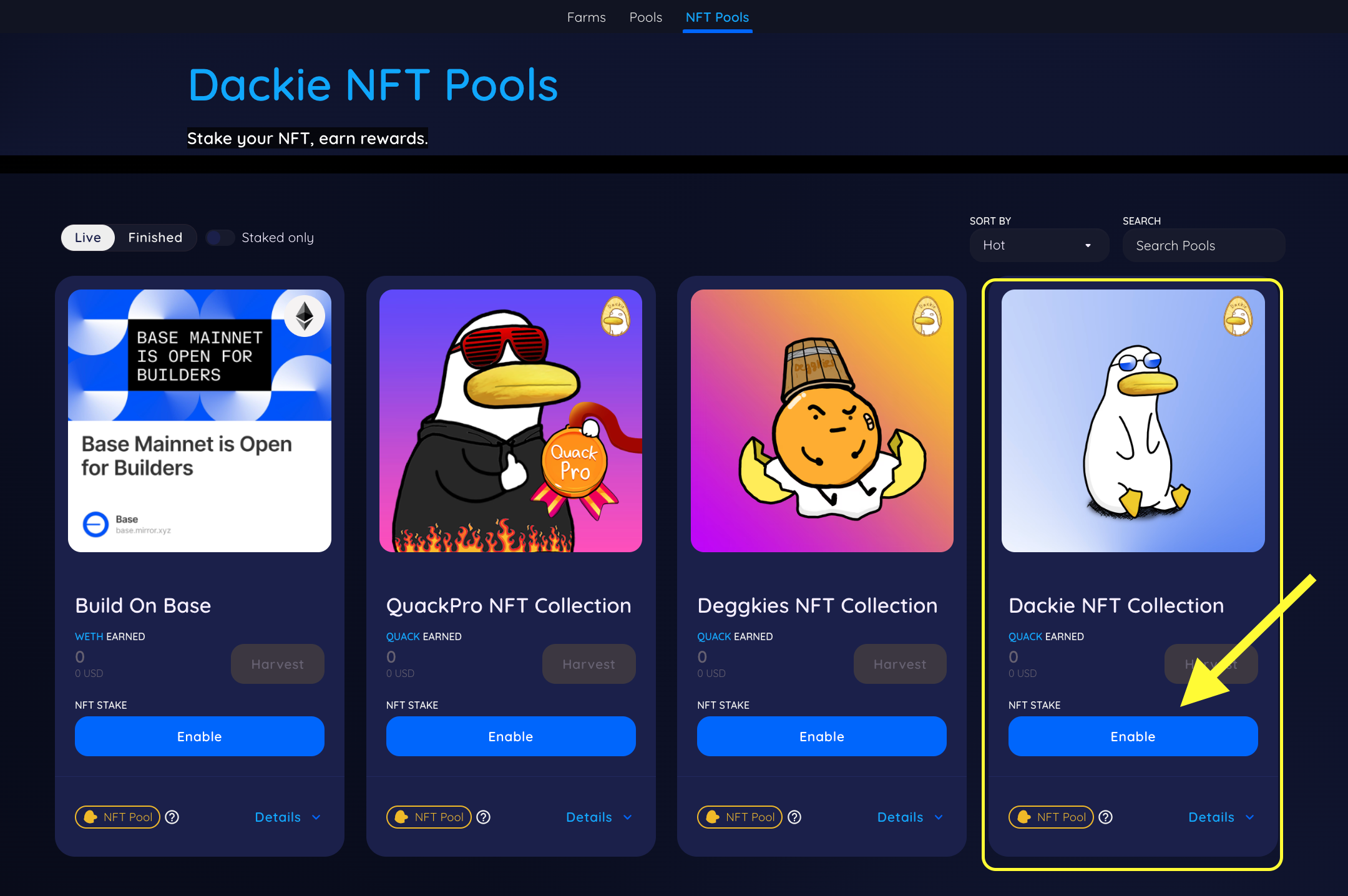
* **Step 2:** Choose NFT collections that you own, and grant permission for our contracts to use your NFTs by clicking on **Enable**.
* **Step 3:** Metamask will prompt you to allow access to all your NFTs in the collection. A warning may appear because the contract will be granted permission to manage your NFT collection. However, **this is a standard process**, simply click **Approve**.\\
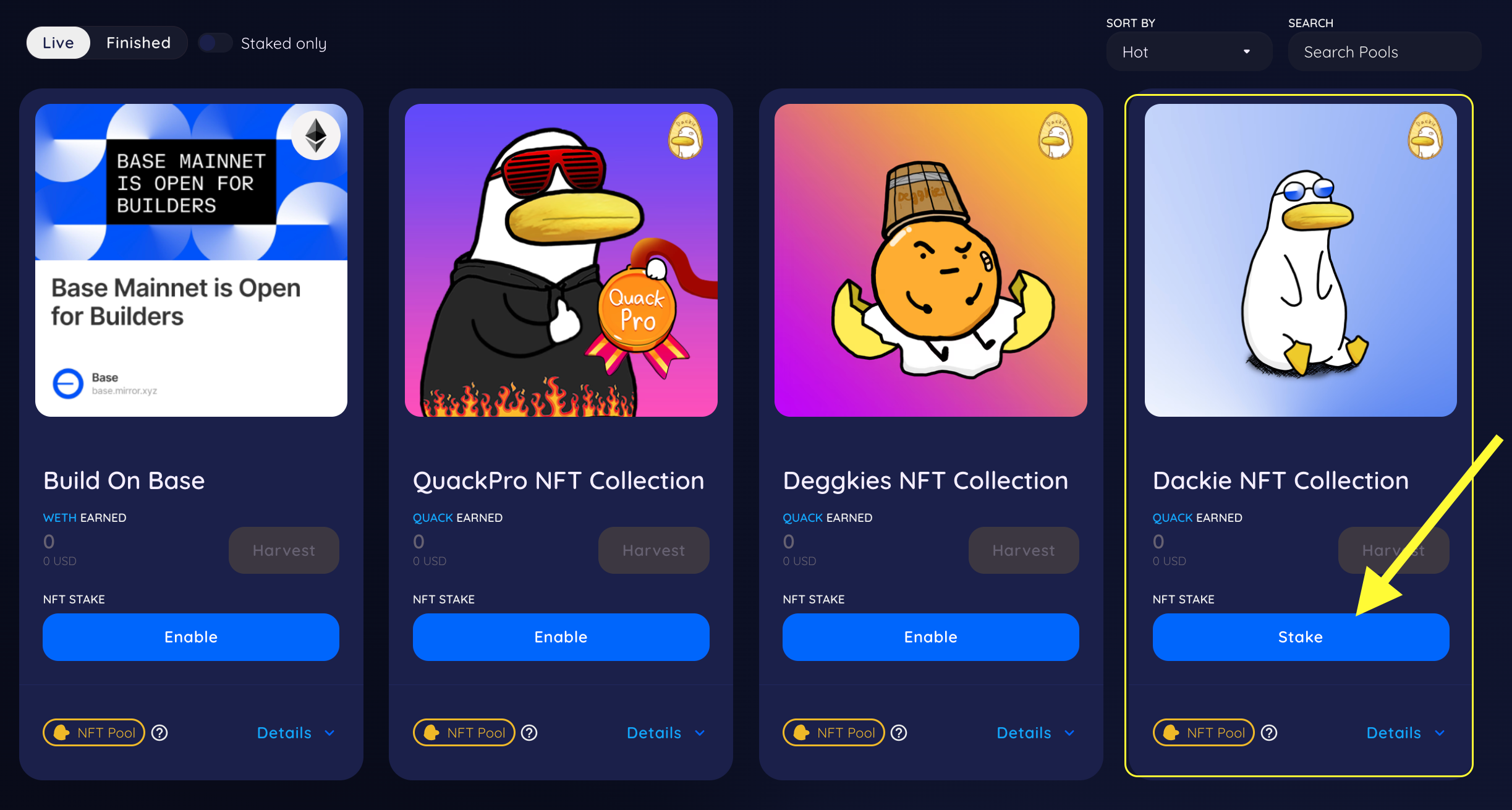
* **Step 4:** Click **Stake** to select the NFT you wish to stake into the pools.
* **Step 5:** A pop-up will appear with buttons to assist you **Select All** or **Deselect All** (if you have many NFTs). Once you've made your selection, tap **Confirm**.
* **Step 6:** Finally, your NFTs are staked successfully.
.png?alt=media)
.png?alt=media)
.png?alt=media)
.png?alt=media)